Technical Sound Projects
Slay The Spire 2 Redesign/Mockup
I started with a linear sound redesign, took it into Wwise, and then created a mockup of the game systems.
Sounds
I recorded lots of card sounds - placing them on my desk, sliding them on top of one another, riffling them. I recorded knife sharpening, swinging a hanger through the air, punching a pillow, tearing up and crushing cardboard. I organised these recordings, cutting through bad takes or empty space to make my own sound libraries, then I placed them together in Ableton to match the clip and applied effects.
Wwise
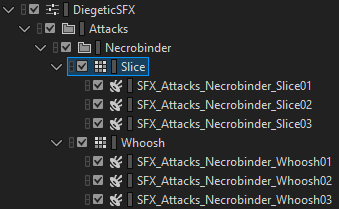
Using random containers, I created a good amount of variation for common sounds, like the attack:
There are three variations of a ‘slice’ sound as the Necrobinder’s scythe cuts through the target, as well as three ‘whoosh’ sounds. These are combined in the Necrobinder’s attack event, so there’s a healthy amount of variation.
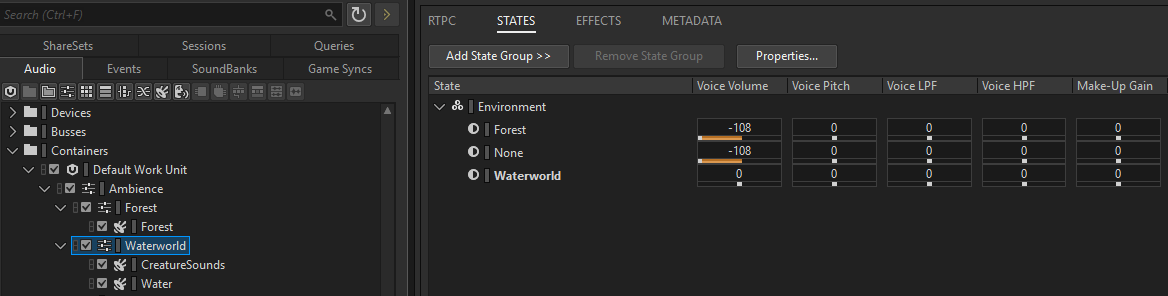
Using states, I can change the ambience of the scene, fading between sounds in real time.
Diegetic sounds are sent to a reverb bus, placing them in the environment.
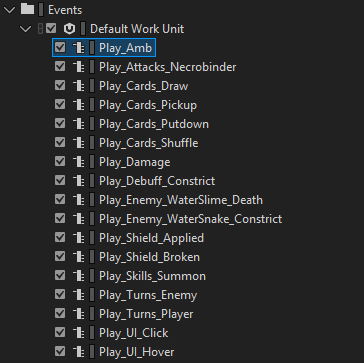
I then set up Events that play the various sounds, that just need to be triggered at the right time by the game. For example, every time a card is drawn, or an attack card is played, or the mouse hovers over a UI element.
Unreal
**Note that this is just a mockup.
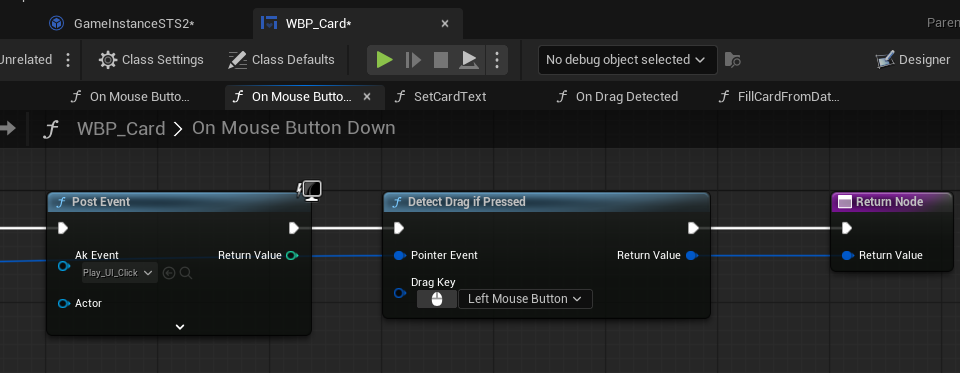
Starting with the card, it needs to detect when it is picked up by the player. This happens when they lift click and hold, and drag it somewhere. So, OnMouseButtonDown, if it is a left click, play the UI click event and call this widget function DetectDragIfPressed.
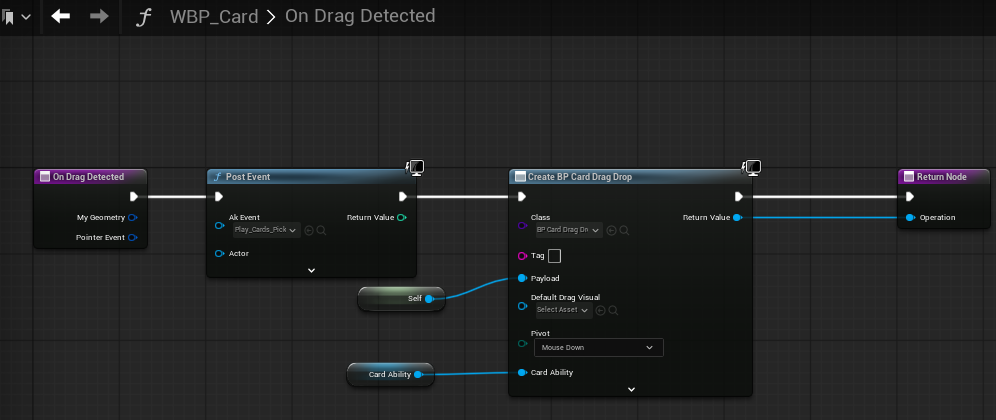
OnDragDetected, play the CardPickup event, and create an instance of a DragDrop class, passing the card itself as the payload. I also created an input for the card ability for convenience.
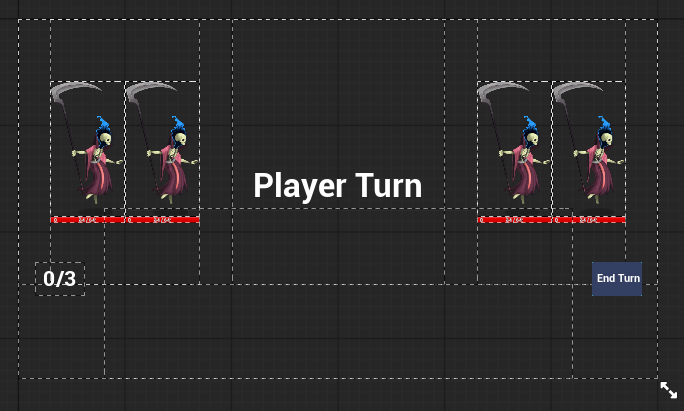
The Table is a full-screen widget that has areas for cards, allies, enemies, and other UI.
The Table - or a Target widget - detects when something is dropped on it. When that happens, it asks the GameInstance to try playing the card - which will handle if the player has the required energy, if a valid target was selected, etc.

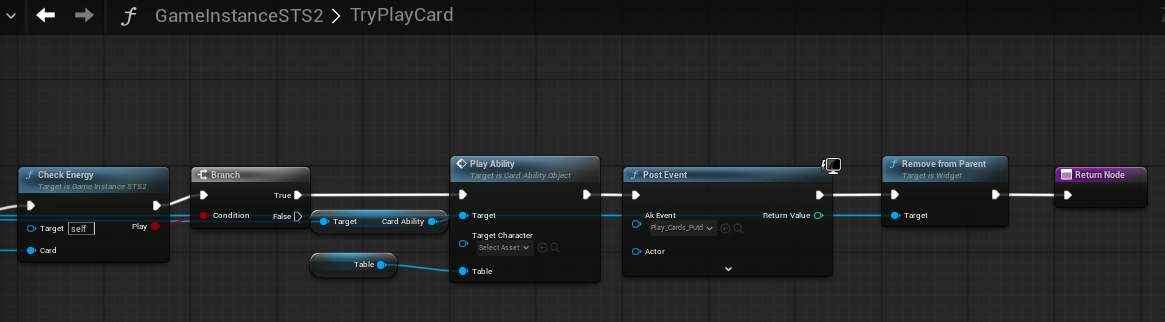
If that card can be played, it plays the specific ability as well as the card putdown sound, and removes the card from the card area.
Each ability handles it’s own logic, including playing any relevant sound effects. For example, the Strike ability object plays the attack event, and then calls an event ‘Damage’ on the target character for 6 damage.
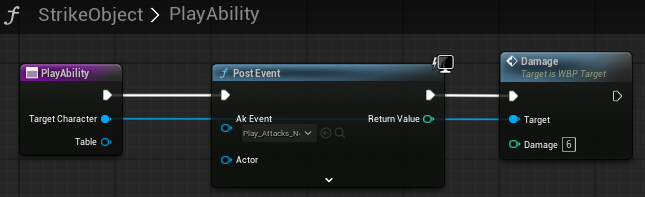
The Target blueprint handles that damage request with some more logic, playing the relevant damage, block breaking and death sounds when required.

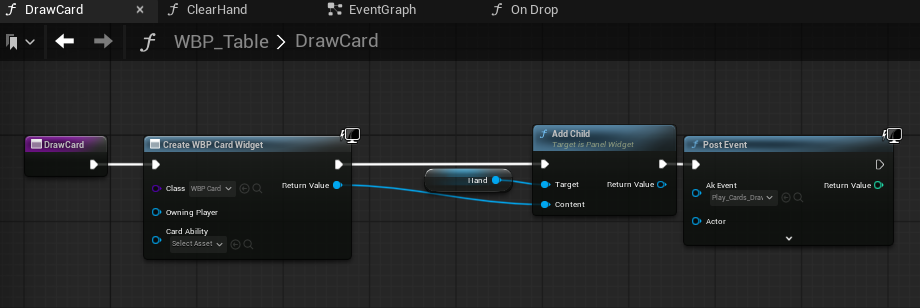
When drawing a card:
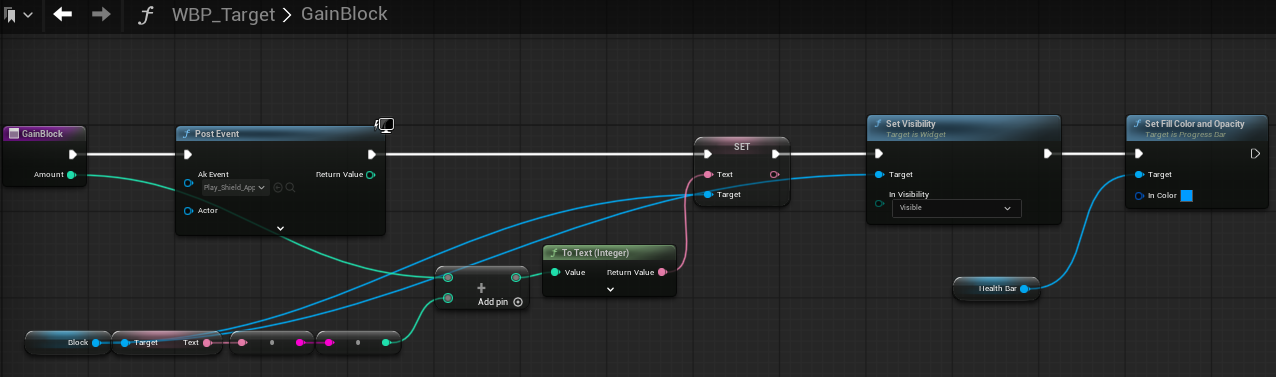
Or when a target gains block: